Library Manager








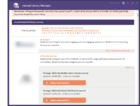
This page documents the library installation process via Library Manager. You can access Library Manager e.g. from this dialog:

- Step 1:Click on the link Download more libraries... [1].

- Step 2:Afterwards it will open the exocad library manager [2].

- Step 3:There are multiple partners available, choose from the list and click on View and download libraries [3]. Select from the list which libraries to download and click on Add to download list [4].

- Step 4:After selecting the desired libraries, click Go to download list [5]

- Step 5:Fill out the mandatory information required [6].

- Step 6:Click Install libraries [7] to start the download process.

- Step 7:Wait until the Download and installation status is 100% [8].In order to use the recently installed libraries, re-start the software [9].